
■ Opening Store
■ Sell
Prohibited and Restricted Items
Rules on Conditions of Listing Items
■ Payment
■ Shipping
Shipping method/price/guideline
■ Feedback
■ Security and policy
Make sure you set "Currency" and "Shipping" before you start selling.
Without setting "currency" and "shipping", your items are unavailable to any member to purchase.
"Currency" and "Shipping" are set and managed by each member.
Available currency for member to sell,
US DOLLAR
BRITISH POUND
EU EURO
JAPANESE YEN
HONG KONG DOLLAR
AUSTRALIAN DOLLAR
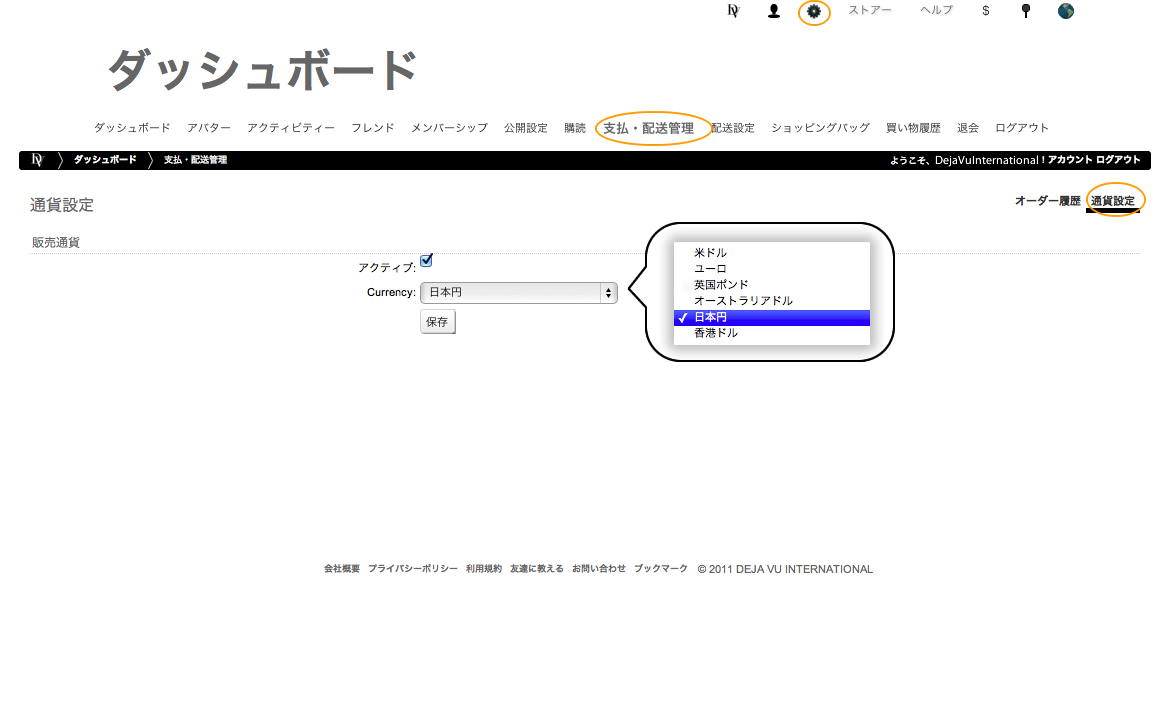
CURRENCY SETTING
To set your currency, Visit "Currency Setting"
and select currency. ( "Currency setting is located under "Payment & Shipping page)
Shipping Methods
To set shipping, Visit "Shipping Methods" page.
( "Shipping Methods" is located under "dashboard" menu.)
All your items will be handled with your shipping detail.
You can charge shipping fee by only acceptableregion.
US Only ( US GROUND, US EXPRESS and etc ) , EUROPE, UK,
You can charge shipping fee by total amount of purchasing.
"If you purchase more thank 80USD, fee shipping"
Shipping is managed under type of checkout.
If you accept credit card check out, check the credit card check box and enter title and fee amount.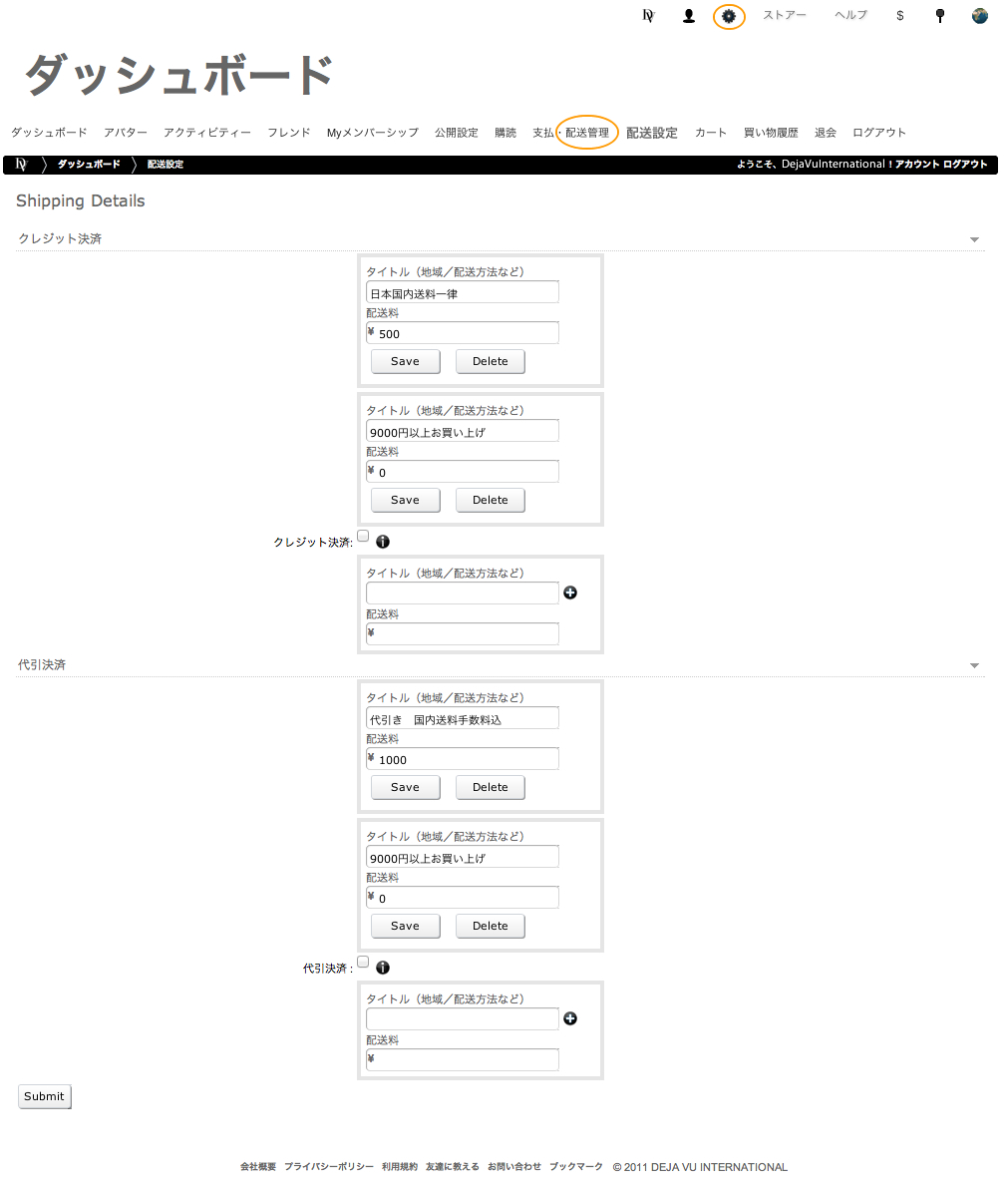
That`s all and you are ready to go!


